![]() |
|
|
|
#1
|
|||
|
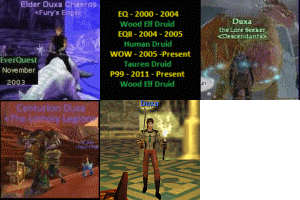
Just wanted to say thanks! Very happy with my new login screen.
__________________
Zagum - 60 Shaman
Hakata Ramen - 60 Jedi Warrior Klaritee Dicktaters - 60 Enchanter Serilis - 60 Wizard Decisive - 60 Bard Winsloe - 60 Rogue Zaggasauarus - 27 Necro | ||
|
#2
|
||||
|
Quote:
v0.4 - March 27, 2011 - Updated to support the new spellfile released on March 27, 2011 - Added the ability to install just the new spellfiles without installing anything else. enjoy [You must be logged in to view images. Log in or Register.]
__________________
| |||
|
Last edited by Chrushev; 03-28-2011 at 01:30 AM..
| ||||
|
#3
|
|||
|
Please sticky this thread.
| ||
|
#5
|
|||
|
Maybe it is User error I had a working P99 Game and I tried this with all options besides option 0 and in everything i get a differnt error in one of them i get combattheme1.mp3 has invald data the setup could not run. Any idea's picks a differnt file and says it has invalded data on all the options and I am now unable to play
| ||
|
#6
|
||||
|
Quote:
__________________
| |||
|
#7
|
|||
|
I am running windows 7 and it is installed in C:\programfiles\sony\everquest I will move the folder and try it then, Figured it was just user error will put a update tommorrow when I actually will be off work thanks for the help!
| ||
|
#8
|
|||
|
Great tool, used it and made things very easy.
Having an issue getting the game to go wisescreen however. I used the tool and chose the maximum resolution available (1920 x 1080), I then set my desktop resolution to the same (down from 2048 x 1152, which is the maximum) and the ini file says it is indeed set to 1920 x 1080 , but when I get to the charatcer select, and in game, the resolution is at most 1024 x 768or so, huge black bars to the left and right of the game window. Any ideas on how to get this to work right? I've got windows 7 if that matters. edit: Fixed the problem. | ||
|
Last edited by Obsidus; 06-27-2011 at 11:59 PM..
| |||
|
#9
|
|||
|
spell book looks fine but when transfered to the spell bar they are all messed up, any idea what I need to do to fix it?
| ||
|
#10
|
||||
|
Quote:
It sounds like your default UI is messed up, run option (0) that should fix it for you.
__________________
| |||
![]() |
|
|